Their Team Caught the Breach. We Found What Was Hiding Behind It.
A confirmation that turned up more
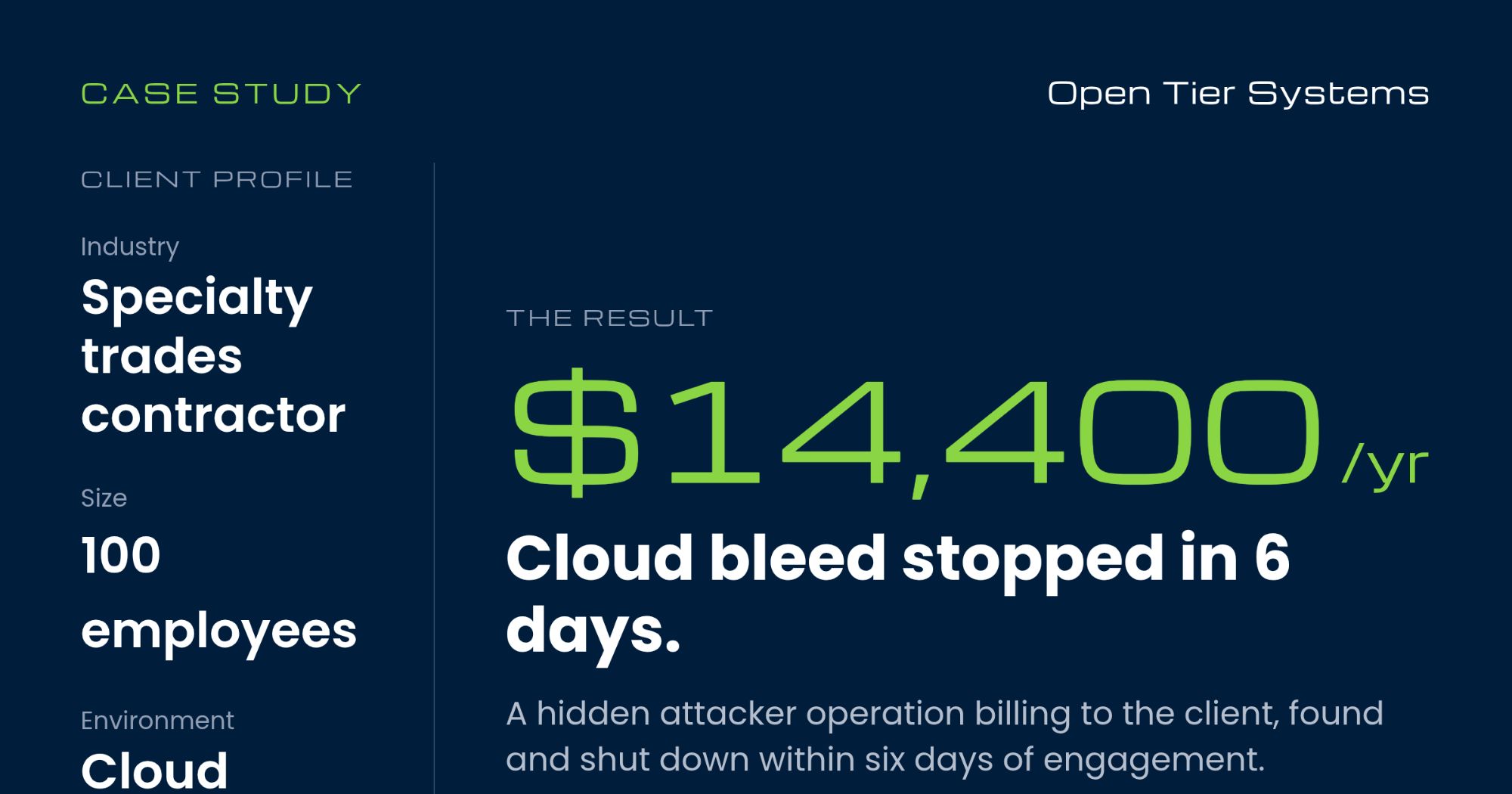
A 100-person specialty trades contractor reached out to us after their own team caught two compromised email accounts. They changed the passwords, killed the sessions and locked the attacker out.
They asked us to confirm it was contained and make sure nothing else was in there. Something else was. A second operation had been running in their cloud account for six months, billing to the company the whole time.
What we found
It started months earlier, when an attacker got hold of a live sign-in session for one of the company’s leaders. A stolen session gets around MFA entirely, so they never needed the password.
They used it to create a cloud project under the company’s account and attach it to the company’s billing. Every one of the 100 accounts had permission to do that, because that’s the default when a Google Cloud organization is set up.
Over six months that project ran dozens of Windows servers across three continents, each used for a few weeks and then replaced somewhere else. It hosted phishing pages aimed at the public and held access keys that would’ve let the attackers back in, one with no expiration date.
None of that touched email. Resetting the passwords ended the attacker’s access, but the servers kept running and billing until we shut them down.
Separately, a second group had taken over another employee’s mailbox with a phishing page built to capture the session right after a legitimate MFA prompt. They used it to send phishing to thousands of outside addresses, some of it as calendar invites that land on a calendar without being accepted.
Six days from first call to verified containment
The question we had to answer was whether anyone still had access, and we needed evidence, not assumptions.
We pulled more than 3.6 million log events across email, file storage, sign-ins and admin activity, plus the entire cloud audit trail. Then we checked every one of the 100 mailboxes against the attackers’ infrastructure. Two accounts were compromised, and we couldn’t find a third.
The shared drive with the company’s I-9 files, including employee Social Security numbers and ID documents, showed no access by the attackers or anyone outside HR. For the owner, that was the most important answer in the report.
On day five we found the cloud setup. We saved the evidence first, then took it apart starting with whatever could outlast everything else. That meant the key that never expired, then the open ports, the servers, the service accounts, the remote access key, the public phishing pages, and finally the owner rights on the project.
Then we checked our own work. The next day we re-ran the whole sweep, and we made sure it covered the attacker’s old activity on purpose. If our search couldn’t find what we already knew was there, a clean result wouldn’t be worth much.
It found every bit of the old activity and nothing after we shut the door. That’s when we could tell the owner it was actually over.
We handed them a plain-English report with 22 fixes ranked by what matters most, plus a log of every change we made in their environment. That way nobody down the road mistakes our work for the attacker’s.
The ROI: what it cost, and what it didn’t
By the end, the attackers were running up about $1,200 a month in fraudulent cloud charges on the company’s bill. That’s a $14,400-a-year bleed, and it still understates the exposure.
The attackers weren’t after this company’s data. For six months they used its cloud account and billing as infrastructure for credential theft against other people, and there’s no way to know how many people reached those pages, because that kind of logging is off by default.
The cost was also climbing. Monthly spend roughly tripled over the summer as the attackers added servers, which is how it reached that $1,200 peak. Until that default permission was narrowed, any of the 100 accounts could create a new project and bill it to the company, so the next stolen session could rebuild the same setup in minutes.
The bigger exposure is the one that didn’t materialize. The drive holding the company’s I-9 files was one of the places we checked most carefully, and the attackers never touched it. Had they found it, this would’ve meant breach notification for every current and former employee.
The good news is that the controls that shut this kind of attack down are mostly settings, not new products:
| Control | What it shuts down | Cost |
|---|---|---|
| Limit who can create cloud projects and attach billing | A cloud foothold like this one | A permission change |
| Alert on new cloud projects and new access keys | Flags a rogue project the moment it appears | Monitoring we already run |
| Confirm every account is actually enrolled in MFA | Password-spray campaigns | An afternoon |
| Lock HR drives to HR, no link or outside sharing | Employee SSN exposure | An hour |
| Restrict calendar invites from unknown senders | Calendar-invite phishing | A setting |
Responding after the fact is expensive because it means reconstructing months of activity from logs. Prevention is a few days of setup and ongoing monitoring.
Google or Microsoft, same exposure
This happened on Google Workspace and Google Cloud, but Microsoft 365 carries the same exposures. Users can consent to apps and create cloud resources, the same phishing kits capture sessions through MFA, and calendars accept invitations from anyone by default.
The platform matters less than whether those defaults have been tightened and whether someone is watching for the few events that signal an attack.
Why trades contractors get hit this way
Specialty contractors run lean by design. Field crews share mailboxes and devices, and the office team covers a lot of ground, so IT security often doesn’t have a dedicated owner.
These companies also hold sensitive data: I-9s, payroll and banking details for a large hourly workforce. GCs, owners and insurers increasingly ask for evidence of security controls before a bid or renewal.
Attackers look for exactly that combination: valuable data and nobody assigned to watch for them.
Stop the bleeding, then close the door
There are two parts to this work.
The first is response. When something is already wrong, you need a team that finds all of it, shuts it down while preserving the evidence, and verifies it stays shut. That’s what we delivered here.
The second is prevention, and that’s where Managed IT and Managed Compliance come in. We watch identity and cloud for the signals that actually mean an attack, keep MFA, sharing and permissions where they should be, and document your controls so the next GC questionnaire or insurance renewal already has answers.
We’ve supported businesses across the Philadelphia suburbs since 2006, and we know how a contractor’s office runs. We’d much rather spend a few days tightening your defaults than six days removing an attacker from your cloud.
Think something’s off right now? Call us today. Want to know where you stand? Start with our free Cybersecurity Risk Assessment.
About The Author